Showing posts with label How to Download a minecraft map for a Apple mac. Show all posts

Wednesday, 7 May 2014

Pinky's Top 5 Servers

Hey guys! In response to tilt_bear_22's email, I present to you....


1. WoodyCraft            

I love playing on multiplayer with my friends on this server, and they have a great parkor course if you want to look!

Server IP: woodycraft.net


2. SlabCraft                                                          

I love this server once again, and there is not much lag (which is great for recording). Also their creative server is never full which is a plus for lag again.

Server IP: mc.slabcraft.net


3. The Hive                                                                        

This server is great if you want to play a new mini game called 'Block Party' and 'Hide and Seek' (they are my personal favs)

Server IP: eu.hivemc.com


4. McMagic                                                                            

OMG! The work put into this server is ah-mazing! It has rides that you can go on (my favourite is the peter pan ride!) and their castle is soooo cool! You can even check out some fireworks by the castle at night!

Server IP: mcmagic.us


5. Its Jerry and Harry

I love this server, especially playing their hit game 'Build It' which is like draw my thing but in Minecraft (Video will be up soon!) !
The people are really nice here as well! Even though its #5 its still awesome!

Server IP: play.itsjerryandharry.com 

Thanks Guys for all the support, luv u all!

I wanna know what your fav servers are, comment down below with you answer!

Keep crafting till the sun goes down,

Pinkg1itter <3                                                              


Thursday, 20 February 2014

How to Download a map for a Apple mac

I love downloading maps and playing LAN with the other Crafters. I think you guys should learn to download a map. This is only for Apple macs. First a good map. Some great searches are minecraft adventure maps or the name of the world (if you know it). Now find the download button and download. Drag it onto the desktop and if it's a zip file open it and turn it into a folder. Go to Go then click go to folder. Type ~/Library then click go. Go into application support then Minecraft. Go into saves then drop the world folder into. Go into minecraft and play your world.
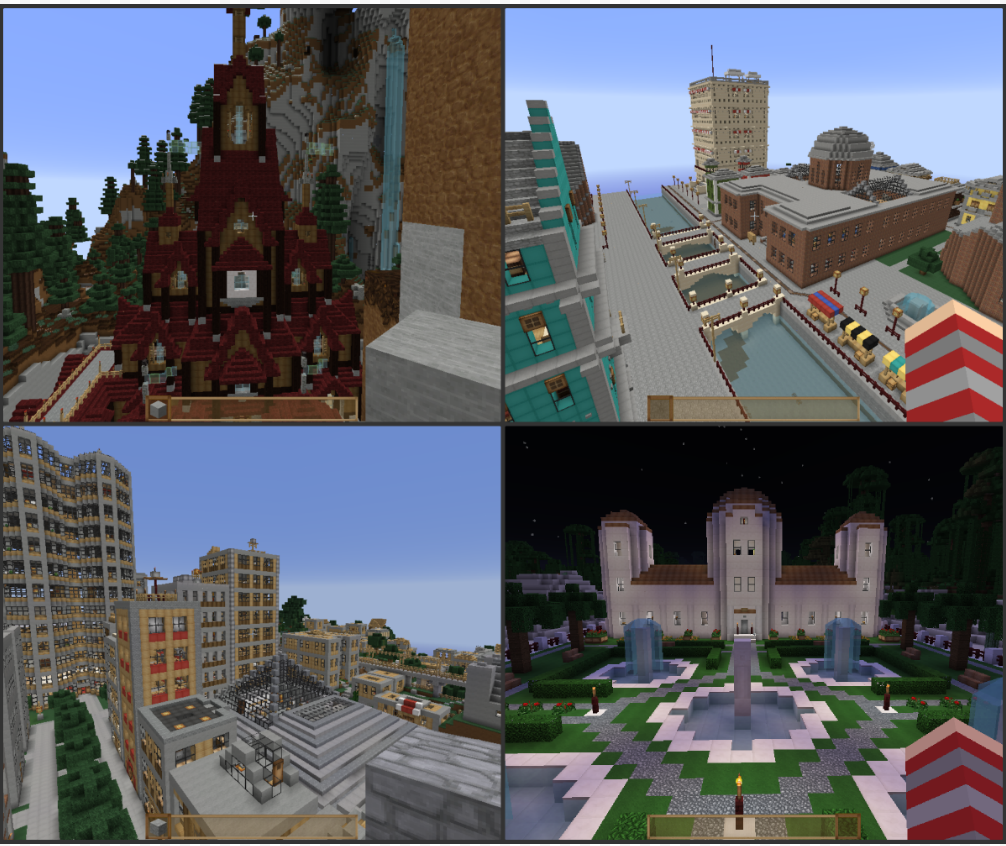
My favourite maps  
Arendelle Castle- Top Left, Mineton City-Top Right,
Vertoak City-Bottom Left, Osada- Bottom Right
 Tell me about your new map or if you need more help.

SkyKiwi